
How to share a collection to someone?
Sharing with QR code
iTabla Pandit Studio Pro uses visual codes called QR code to exchange data between its users.
This is a QR code: 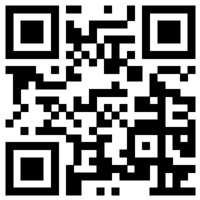 Sharing this code is as simple as exchanging a picture. iTabla Pandit Studio Pro can send codes, and it can scan received codes.
Receive a collection download QR code from someone
From the studio, use the button  to open the quick share page.
Then click or tap on the button  , and then scan the collection’s share QR code.
Then his iTabla Pandit Studio Pro will propose to download the collection. It’s a quick and simple way to share.
Note: If the collection’s publisher removed the collection from it’s website, then the collection’s download link will not work. But it’s his choice. If authorized by the collection’s licence, you may re-upload the collection to your own website.
Quick share the selected collection’s download link
First, open the collections list in iTabla Pandit Studio Pro:
You have to open the collections list from Manage application options settings, Then Manage collections.
Or open the rāga list from the main page, and then open the collections list with library_books
Then select the collection you want to share, and click on the button ios_share. It will open the collection share page with the associated QR code.
From here, you can share the code to one of your contacts (Whatsapp, Skype, SMS, Message, …) with the icon ios_share
See 👆 Scan and import a user tuning
More about collections 👆 Rāga documents collections